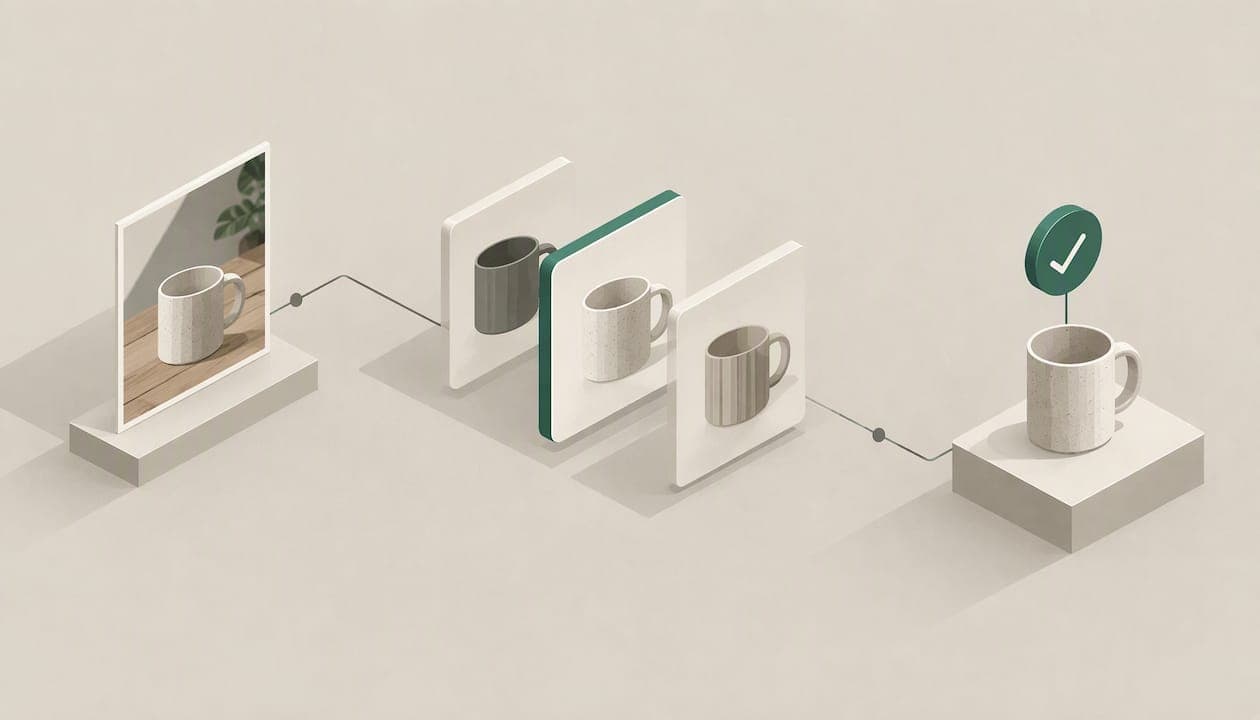
You can identify most items from a photo in under a minute. Take a clear picture, run it through a visual search tool, then check the result against the item's markings before you trust it. The match is only the first half of the job, though. If you plan to buy or sell the thing, you also need to know what it is worth, and that takes sold-listing data, not a guess.
This guide covers the tools already on your phone, how to shoot a photo that gets a good match, how to confirm the exact model, and how to move from a name to a fair second-hand price.
TL;DR
- Visual search tools built into your phone or browser can name many items from a photo, but they often return "similar" products, not your exact one.
- Shoot from several angles in good light, and include any tag, label, stamp or serial number. Those details decide the match.
- Confirm the result by comparing size, color, material, markings and condition against a listing or reference page.
- Once the item is named, price it from sold listings, not asking prices. A photo ID alone tells you what it is, not what it sells for.
- PricexPoint identifies items from a photo or a name and shows sold, asking and new prices with links to the sales behind them.
Table of Contents
- What a photo search actually does
- How to take a photo that gets a good match
- Free ways to identify an item from a photo
- Confirm the match before you trust it
- From a name to a fair price
- Why photo identification and price estimates go wrong
- Our view: a price should come with its proof
- Price it with PricexPoint
- How the technology is changing item search
- A repeatable routine for any item
- FAQ
- Sources
What a photo search actually does
When you upload a picture to a visual search tool, it does not "know" your object the way a person does. It compares the shapes, colors, text and patterns in your image with a huge index of other images, then returns the closest matches. Google describes the result as information about the objects in the image, similar images, and websites that contain that image or a similar one, according to its help page on searching with an image.
That wording matters. "Similar" is not "identical." A search can recognize that you are holding a mid-century teak side table and still miss the maker, the year or the line it belongs to. For a casual "what is this?" question, that is fine. For pricing, the difference between two near-identical models can be hundreds of dollars.
So think of photo identification as a two-step process:
- Recognition: what kind of thing is this, and what is it likely called?
- Confirmation: is it the exact model, edition or variant, and in what condition?
Most frustration comes from stopping after step one.
How to take a photo that gets a good match
The quality of the answer follows the quality of the picture. A few habits make a real difference.
Light and background
Shoot in daylight or under even, bright light, away from harsh glare. Put the item on a plain, uncluttered surface. A busy background gives the search tool more irrelevant shapes to chew on, and shiny items like glass, chrome or glazed ceramics can wash out under a flash.

Angles that matter
Consumer Reports tells sellers to photograph an item from several angles, top, bottom, front and back, in clear, well-lit shots, in its guide to selling things you no longer need. The advice is aimed at buyers reading a listing, but it works equally well for identification. The underside of a lamp, the back of a camera or the base of a vase is often where the maker's information lives.
The close-up that settles it
Always take one tight photo of anything with text or a mark:
- Brand tags, sewn-in labels and size tags on clothing
- Model and serial number plates on electronics, tools and appliances
- Maker's marks, stamps or signatures on pottery, silver, furniture and art
- Hallmarks inside rings, clasps or watch cases
- Printed edition lines or copyright dates in books and games
A clean, readable close-up of a model number often beats every wide shot you take.
Free ways to identify an item from a photo
You do not need a special app to start. Three kinds of tools probably sit on your phone already.
Search by image in your browser or search app
The quickest route is a general image search. You upload a photo or take one, and the results can include information about the objects in it, similar images and pages that use the same or a similar picture, per Google's support page. It is best for items that look distinctive, such as branded products, and weaker for generic or unmarked things.
Your phone's photo gallery
Some gallery apps can search inside a picture you have already taken. Google says that in its photo app, you can find similar apparel and home goods and where to buy them, in countries that support shopping results, including the U.S. and U.K., on its photos help page. On iPhone and iPad, Apple's Visual Look Up recognizes things like art or landmarks in images, and it requires iOS 15 or later, or iPadOS 15.1 or later on supported iPads, according to Apple's support article. These features lean toward well-known subjects, so a rare collectible may not be recognized.
A big retailer's visual search
Shopping sites have their own tools. Amazon's visual search lets you upload a photo or screenshot to shop for similar products on Amazon. That is useful if the item is a current retail product you want to find new. It is less useful for vintage, discontinued or handmade pieces, because the catalog is built around what the store sells now.
Which tool for which job
| Your situation | Best starting point | What to watch for |
|---|---|---|
| Current retail product, tag still on | Retailer visual search or general image search | Results show similar items, so verify the model number |
| Clothing or home goods you want to see for sale | Gallery app shopping results | Matches "similar," not always your exact piece |
| Landmark, artwork, plant or pet | Phone's built-in photo lookup | Less reliable for obscure collectibles |
| Something to resell and price | An app built for resale pricing | Needs a name plus sold data to be useful |
| Large batch of items | Bulk tool with CSV or multi-item photos | Review each match before you list |
Confirm the match before you trust it
This is the step most people skip, and it is where money gets lost. A result that looks right can be the wrong year, size or edition.
Compare your item with the matched listing or reference page on these points:
- Size and measurements. Consumer Reports advises sellers to provide accurate measurements, so measure yours and compare them with the stated dimensions.
- Color and finish. Colorways can be rare or common, and the price gap can be large.
- Material. Solid wood versus veneer, sterling versus plated, leather versus faux. The same shape can be a very different object.
- Markings. Model numbers, stamps and serial numbers are the strongest evidence you have.
- Condition. Consumer Reports tells sellers to disclose condition and materials and to point out flaws, in the same selling guide. Buyers apply the same lens in reverse.
The same guide notes that descriptive headlines help keyword searches, with details such as size, color, material and terms like "gently used" or "vintage." Those are exactly the words you should end up with once your item is correctly identified. If you cannot fill in size, color and material from the match, you have not finished identifying it.
A quick worked example
Say you photograph a compact film camera at a garage sale. A general image search suggests three similar bodies from the same maker. You flip the camera over and read the model code on the back plate, then check which of the three has the same lens and finish. Now you have a model name, a color and a notable feature. That is enough to search for sold listings of that exact camera, instead of averaging three different ones. If cameras are your category, our guide to used camera pricing walks through how condition and included accessories move the price.

From a name to a fair price
Identification answers "what is it?" Pricing answers "what will someone pay?" Those are separate questions, and the second one is where people overreach.
Why asking prices mislead
An active listing shows what a seller hopes for. A sold listing shows what a buyer actually paid. Asking prices can sit far above the real market for months, so averaging them inflates your number. Sold prices are the evidence that counts, and new-retail prices are a ceiling that used items rarely approach.
A solid price check looks at all three:
- Sold listings for the same model in similar condition, ideally recent
- Asking listings to see your current competition
- New price, if the item is still made, to set an upper bound
Then subtract fees. Consumer Reports notes, for example, that Poshmark retains 20 percent of sales over $15, and that AptDeco suggests pricing for sellers, in its selling guide. Your take-home is the sale price minus those costs and shipping.
If you sell on a particular platform, platform-specific pricing matters. We cover Poshmark pricing strategy, how to find Poshmark sold listings and Facebook Marketplace pricing in separate guides.
Category details that change the number
Some items need extra care once identified:
- Furniture: maker, wood and size drive value, and shipping can eat the margin. See furniture resale pricing.
- Bikes: frame size, components and year matter. See bicycle resale pricing.
- Antiques: provenance and condition are everything. See how to price antiques using sold prices.
- Jewelry: metal, stones and hallmarks decide it. See how to price jewelry from real sold prices.
- Stamps: condition and variety separate a few cents from real money. See how to price stamps.
You can also browse real examples of what used items sell for on our sold-price pages, including entries such as the Canon T50 and the DMES S80.
When to call an appraiser
A photo and sold data are enough for everyday goods. For something that might be worth $1,000 or more, Consumer Reports suggests considering a written opinion from a professional appraiser, which can indicate what a buyer might pay and how much insurance to carry, in its advice on selling your stuff. It reports that appraisers may charge a flat fee or an hourly rate of $200 to $400, depending on expertise and location, and that you should avoid one who charges a percentage of the item's value, in its appraiser guide. The Appraisers Association of America's president, Nancy Harrison, is quoted there saying ethical standards call for avoiding percentage-based fees.
Why photo identification and price estimates go wrong
Knowing the failure points helps you catch them.
- Look-alikes. Manufacturers reuse shapes across years and tiers. A visual match can land on the cheaper sibling.
- Missing context. A photo cannot show weight, smell, internal parts or whether the thing works. Those details often decide value.
- Reproductions and fakes. Copies can look the same in a picture. Markings, materials and construction details are your check, and high-value pieces may need hands-on authentication.
- Bad photos. Blur, glare, cropped labels and cluttered backgrounds all push a tool toward a wrong guess.
- Thin sales data. Rare items may have only a handful of sales, so any estimate has a wide range. Treat a few data points as a range, not a verdict.
- Mixed-up listings. Sold data can include bundles, parts-only sales or damaged units. Unfiltered averages blend all of them together.
The fix for each is the same habit: check the identification yourself, and look at the individual sales behind any number you are given.
Our view: a price should come with its proof
We built PricexPoint around one belief: a price you cannot trace is a guess with good formatting.
Most photo tools stop when they name your item. That leaves the hard part, deciding what to ask or what to pay, entirely to you. We think identification and pricing belong in one step, and that the number should arrive with the evidence behind it.
That is why PricexPoint links its estimates to actual sold listings from several marketplaces, names every data source, and declines to give a figure when it has nothing to support it. We also let you review and correct the item's identification, because a wrong ID quietly poisons every price that follows. Fixing it takes seconds, and the estimate updates around the item you meant.
The result is meant to serve both sides of a deal. Sellers price competitively without leaving money on the table, and buyers can tell a fair second-hand price from an inflated one.
PricexPoint
Price it with PricexPoint
If your goal is to know what an item is worth, PricexPoint handles both steps. Snap a photo or type the item's name, and the app researches sold, asking and new prices across multiple marketplaces, filters out unreliable listings, and links each estimate to the sales behind it.
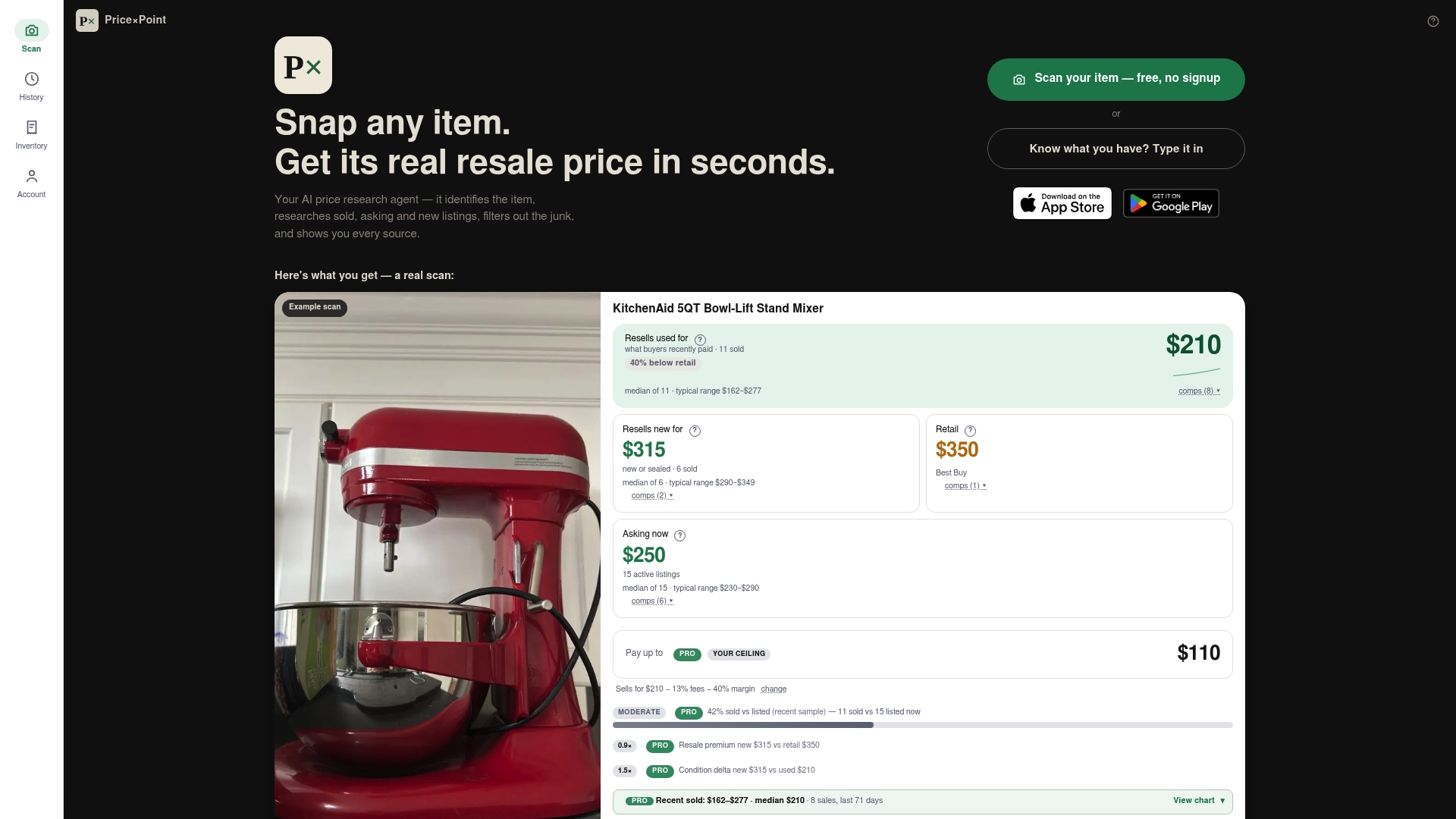
There is a free tier to try it. If you need more lookups, plans run from Basic at $4.99 per month to Pro at $9.99 per month and Power at $24.99 per month, and one-off token packs cost $5.99 for 100 tokens, $12.99 for 300 tokens and $34.99 for 1000 tokens. Pricing for a whole garage or inventory? The app supports bulk lookups through CSV or multi-item photos, and it saves your scan history with export options. See the full plans and token packs or start at PricexPoint.
How the technology is changing item search
Image recognition is spreading well beyond phone cameras. Retailers use it to match shoppers with products, and marketing teams use AI to scale content and search visibility. If you want a broader look at how these tools are being applied across online selling, these examples of AI in eCommerce show the range. For a reseller, the practical takeaway is simpler: let software do the recognition and the data gathering, and keep your own judgment for the final check on condition, authenticity and where to list.
A repeatable routine for any item
Here is the process in one pass, which works whether you are clearing a closet or sourcing stock.
- Clean and light it. Wipe the item and shoot in even daylight on a plain surface.
- Take the set. Front, back, top, bottom, plus a close-up of every label, stamp and number.
- Run the photo. Use a visual search tool, or an app built for resale, to get a name.
- Verify. Match size, color, material and markings to a reference or listing.
- Pull sold prices. Look at recent sales of the same model in the same condition.
- Account for costs. Subtract platform fees, shipping and your time.
- Set the price and write the listing. Use the identified details in the headline: size, color, material, condition.
- Save your notes. Keep the ID and price evidence so you can reprice later without starting over.
Buyers can run steps 1 to 5 in reverse: photograph the item in the store or listing, confirm what it is, and check whether the asking price matches what the same item has actually sold for.
FAQ
Can you find an item with a photo?
Yes. Upload a picture to an image search tool or a retailer's visual search, and you get matching or similar products. Amazon's visual search, for instance, lets you upload a photo or screenshot to shop for similar products. Treat the result as a lead, then confirm the exact model by its markings.
How do I identify an item from a photo if there is no label?
Start with a clear set of photos from several angles and run them through a visual search. Then compare size, color, material and construction details with the matches. If the item is unmarked and possibly valuable, an appraiser's written opinion can settle what it is and what it might fetch.
Does photo identification tell me what something is worth?
Not by itself. It tells you what the item probably is. Value comes from what comparable items have actually sold for, adjusted for condition and fees. That is why a tool that shows sold listings with links is more useful for pricing than one that only names the object.
Can I identify many items at once?
Yes, if the tool supports it. PricexPoint accepts bulk input through CSV or multi-item photos, and it keeps your scan history with export options. Check each match before listing, because a batch only saves time when the identifications are right.
Sources
- Search with an image on Google
- Get info about your photos and surroundings
- Look up what's in a photo with your iPhone or iPad
- Amazon Visual Search
- How to Sell Stuff You No Longer Need, Consumer Reports
- The Best Ways to Sell Your Stuff, Consumer Reports
- Antique Appraisals, How to Find an Appraiser, Consumer Reports
- Examples of AI in eCommerce